
Starter
For organizing a smaller flow of vendor orders.
$29/ 30 days
20 saved order forms per 30 days
- 1 user and 1 Shopify location
- Shopify draft products and inventory
- 3 new vendor templates per 30 days
- Purchase order dashboard and receiving
For independent retailers on Shopify
SizeRun turns the forms your brands send into purchase orders you can track and receive. When new styles arrive, their colors, sizes, and quantities are ready for Shopify draft products.
The Shopify App Store link isn't available yet. Ask us to show you the app.
Sample vendor
Spring order confirmation
 Upcoming arrivals
Inside SizeRun
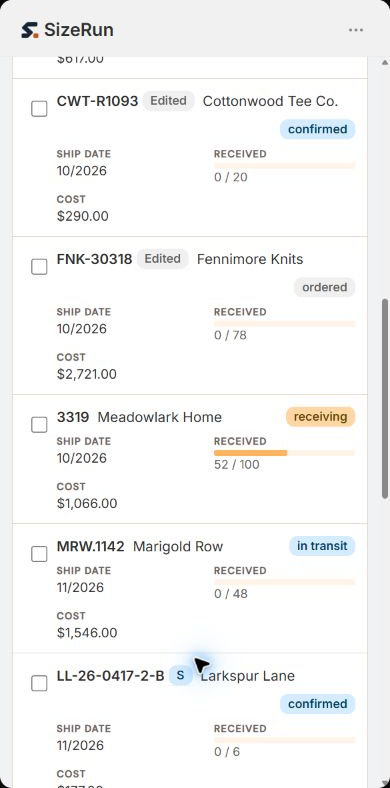
After installation, SizeRun opens inside Shopify Admin. The purchase order dashboard brings vendor orders, ship dates, status, and received quantities into one view. Open an order to see the styles and size runs behind it.
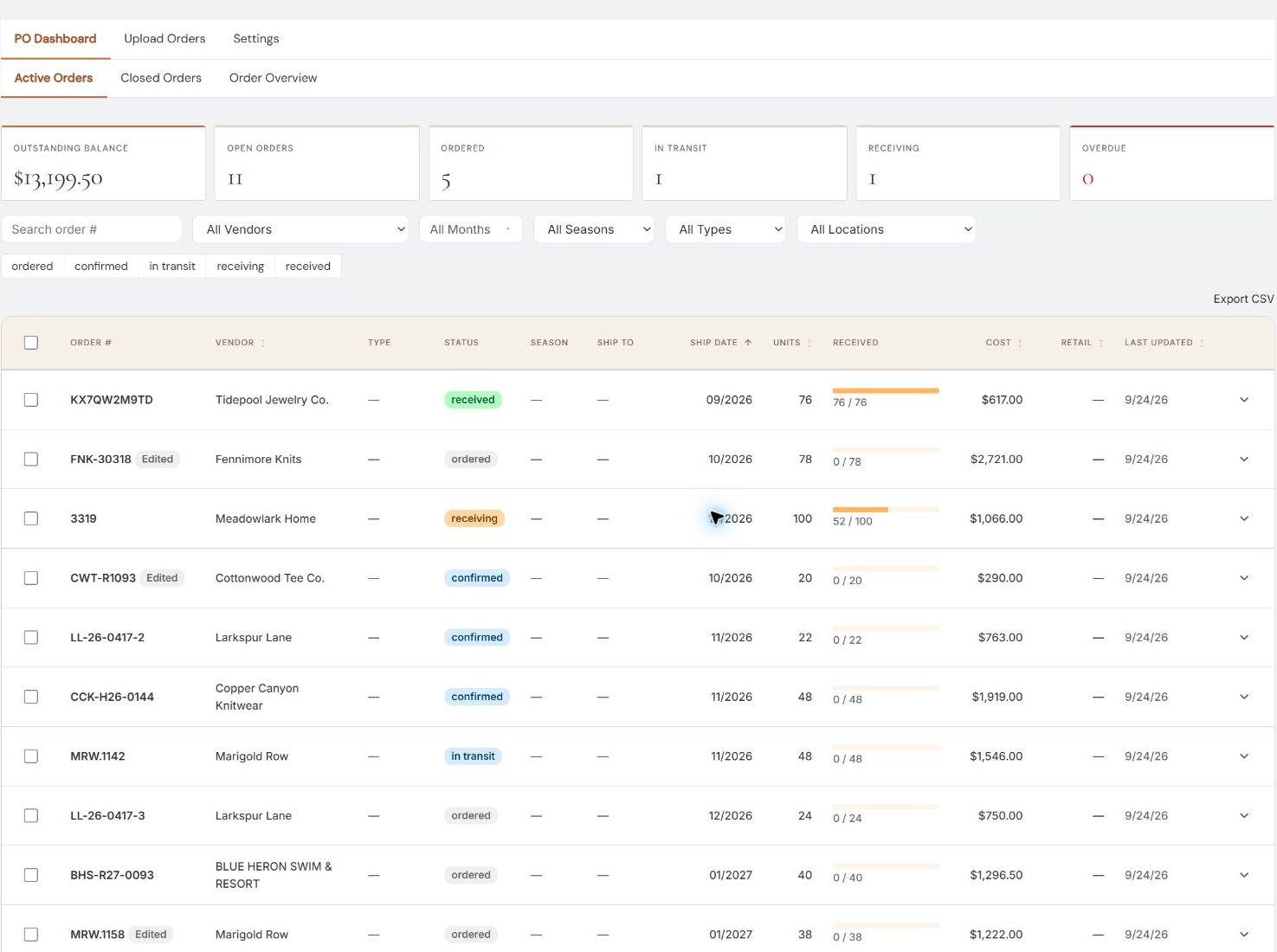
Your vendor's confirmation carries the details you need later. SizeRun brings them forward so your team can spend less time recreating the buy.
Upload the PDF, spreadsheet, CSV export, scan, or photo your vendor sent. SizeRun pulls out the styles, colors, sizes, quantities, costs, and dates.
Review the result, keep track of what is due, and record deliveries as they arrive, including partial shipments.
On every plan, send the styles you choose to Shopify as draft products with their color and size options. You decide when to push.
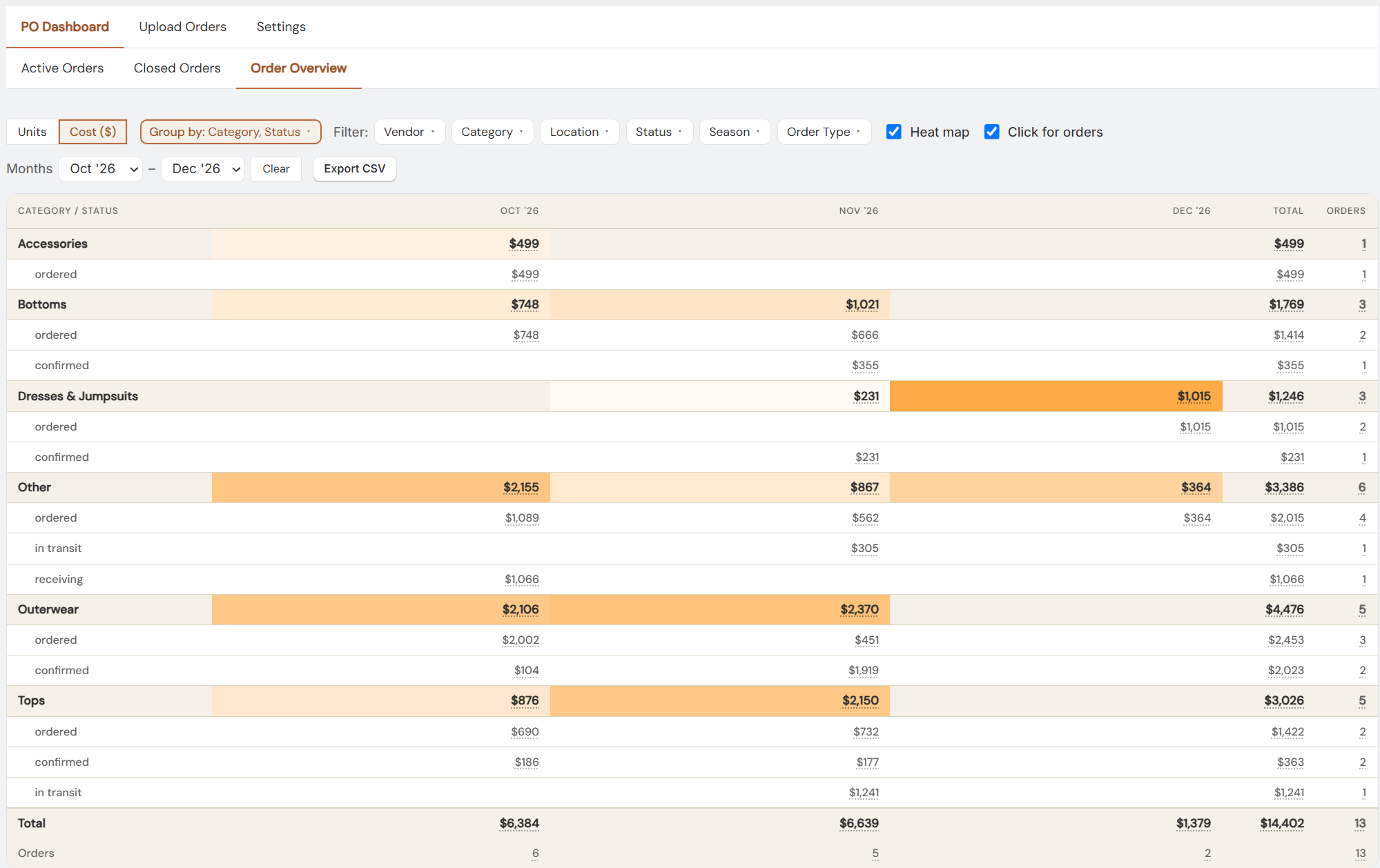
Order Overview
Categorize the items in your vendor orders, then group them by category and status in Order Overview. Switch between cost and units to see what is due each month and how the incoming buy shapes your inventory.
See SizeRun in actionSwipe to explore the screen
One brand sends a PDF. Another sends an Excel workbook. A market order might be a photo of the paper copy. Bring them into the same workflow instead of rebuilding each one by hand.
For unfamiliar layouts, SizeRun attempts an initial read and lets you review the result. Every plan also lets you build reusable vendor templates.
When inventory arrives
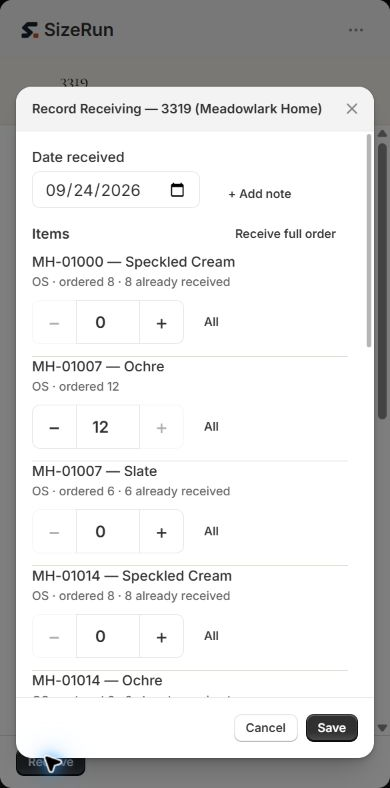
Record what came in, including a partial delivery. Then use the order's styles, colors, and sizes to create Shopify draft products and inventory on any plan.
Nothing goes live as a storefront product just because you uploaded a form.
SizeRun on your phone
SizeRun adapts to a phone screen inside Shopify Admin. Check an order and enter the quantities that arrived, even when only part of a delivery is here.
Simple plans
Start with a 14-day free trial of Starter features: 20 saved order forms and 3 new templates across the full trial. Paid plans are billed through Shopify every 30 days when the app is available in the App Store.
For organizing a smaller flow of vendor orders.
$29/ 30 days
20 saved order forms per 30 days
For growing teams
For more orders, teammates, and locations.
$59/ 30 days
75 saved order forms per 30 days
For a larger team and a busier buying calendar.
$199/ 30 days
500 saved order forms per 30 days
A saved upload counts as one order form, even when it becomes multiple purchase orders. Vendors are unlimited on every plan. Your first paid period includes at least 10 new templates (25 on Pro).
Talk through the plansNo. Upload the PDFs, Excel or CSV files, scans, and photos you already receive. You can check the result before moving ahead.
Orders that need attention go to review, where you can check and correct the extracted details before saving them.
No. On every plan, you choose when to send products to Shopify. They are created as drafts, ready for you to finish and publish.
It counts uploaded order forms that become saved orders during each 30-day billing period. A file that splits into several purchase orders still counts as one form.
We’ll show you how SizeRun takes a form through purchase orders, receiving, and Shopify drafts.